J
EP. 005
AI for Solo Founders
WEDNESDAY, AUGUST 19, 2026
The office is almost done.
Last issue I was on a step stool painting panelling dark green. This week it's a room I can actually shoot in. Camera, lights, teleprompter, mic, all of it in place. Still need to get things on the walls and sort the decor, but the working part is finished.
I've wanted my own studio for years. Wanted, not needed. There's a difference and I get into it further down.
The part worth your time: I didn't design it. I sent ChatGPT the real estate listing photo of the room before we'd even moved in, and it took me the whole way. Concepts, dimensions, paint colours, build order, product list, and then exactly where to put the camera and the lights.
I also built a free gear picker off the back of it, three price tiers for every category, no signup. Full breakdown, the prompt, and the picker are all below, along with the part I didn't see coming: I handed it control of my computer to dial in every setting. First, the news.
THIS WEEK IN AI
1
Every model released after August 2 embeds an invisible watermark into the text it generates. Not extra characters, nothing you can see. It changes how the model picks its words, and it survives copy and paste. It's on across the API, Claude, Claude Code and Cowork. Generated images and files get signed C2PA metadata instead. The EU AI Act forced it. What it actually means for you: anything you paste straight out of Claude into a post, an email, or a client deliverable is now machine identifiable as AI. That's not a reason to stop using it. It's a reason to stop shipping raw output. Make it yours before it goes out.
ANTHROPIC · 3 MIN READ
2
Over $11.5 billion in Q2 revenue, up from $787 million in the same quarter last year, and the first operating profit any frontier AI lab has posted. Roughly two years ahead of schedule, and it happened mostly because compute got cheaper. Meanwhile OpenAI is walking toward a $1 trillion IPO while losing around $14 billion a year. Why you care: if you've built your business on Claude Code, the company underneath it now makes money. That's the boring kind of news that decides whether the tool you depend on still exists in three years.
CNBC · 2 MIN READ
3
Rolled out August 13 to paid plans. Your Docs, Sheets and Slides show up in the ChatGPT Library, open side by side with the conversation, and you edit them by talking instead of clicking through Google's toolbar. It writes back to the real file. If your business runs out of Google Docs, the copy, paste, re-upload loop is over.
9TO5MAC · 1 MIN READ
BEFORE
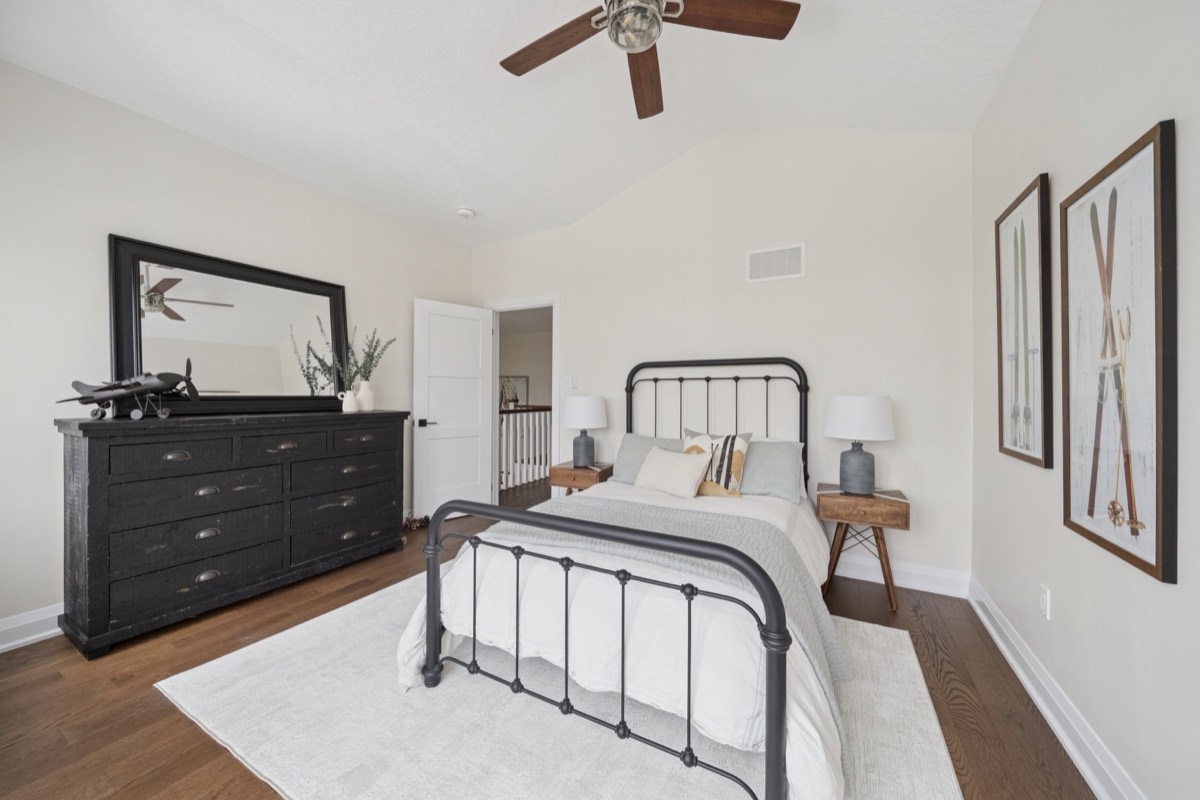
The listing photo. This is everything ChatGPT had to work with.
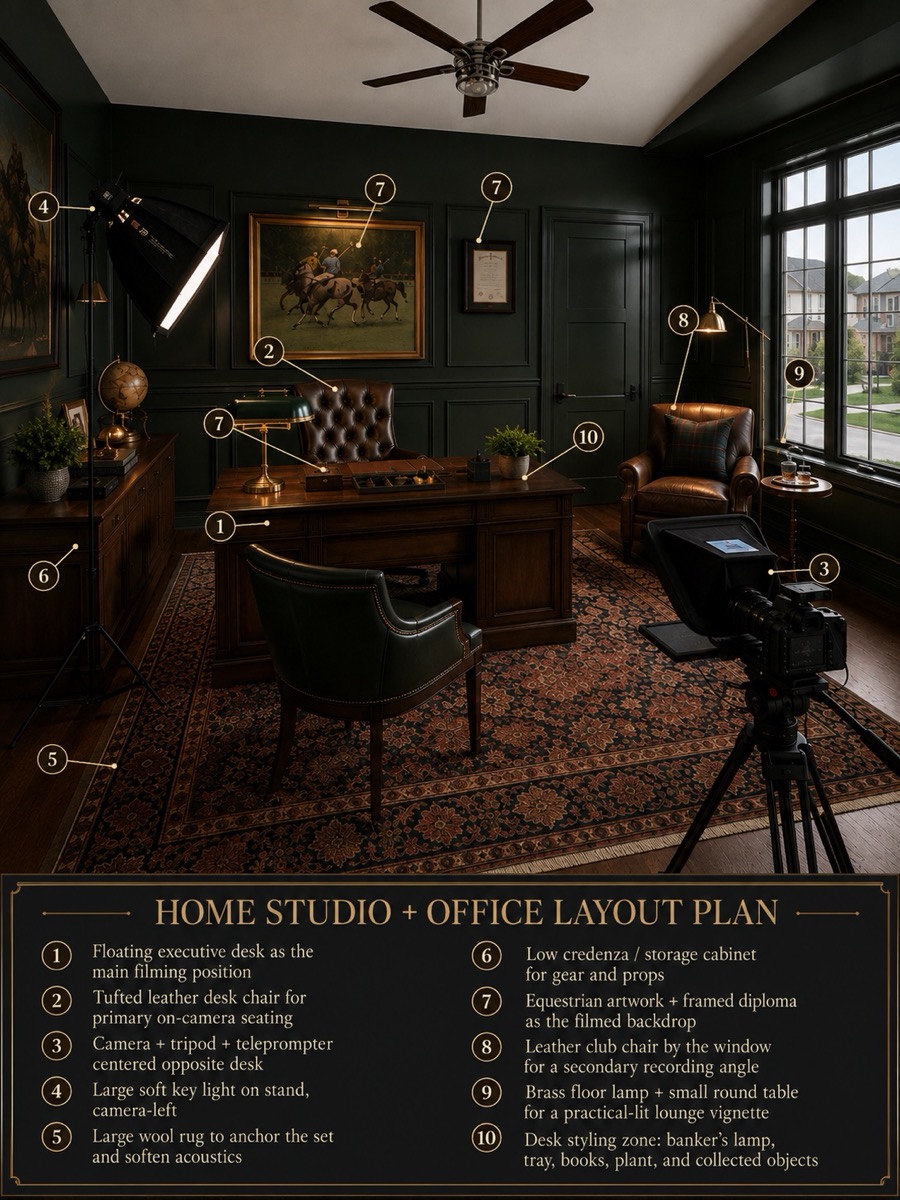
THE BUILD
A listing photo, and then a studio
I never opened a design tool. The whole thing started with a photo I didn't even take.
When we bought the house I pulled the real estate photos off the listing. Somebody else's room, somebody else's furniture, agent's wide angle. That's what I gave ChatGPT.
What came back first was the plan above. A rendered version of the room with every position numbered, down to where the key light stands and which chair I'd be sitting in on camera. Then it mapped the thing out properly: exact dimensions, and it pulled the paint colours straight out of the photo so the room matched the rest of the house.
From there it stopped being a design conversation and turned into a set of instructions. How to paint it and in what order. How to build the panelling. What to buy and what to skip. I walked into the store with a list instead of a hunch.
The part I didn't expect to need was the last part. It walked me through the setup itself. Where the camera goes. Where the lights go, at what height, at what distance. How to position the teleprompter so my eyeline is right. Mic placement. Every one of those is something I'd have got wrong twice before getting it right.
Zero design experience. One photo off a real estate listing. This is exactly what I mean when I say under complicate it.
3 MIN
WHAT IT HANDED ME
None of this is a mood board. The wall elevation has every panel measurement on it and I built straight off that drawing. Tap any of them to see it full size.
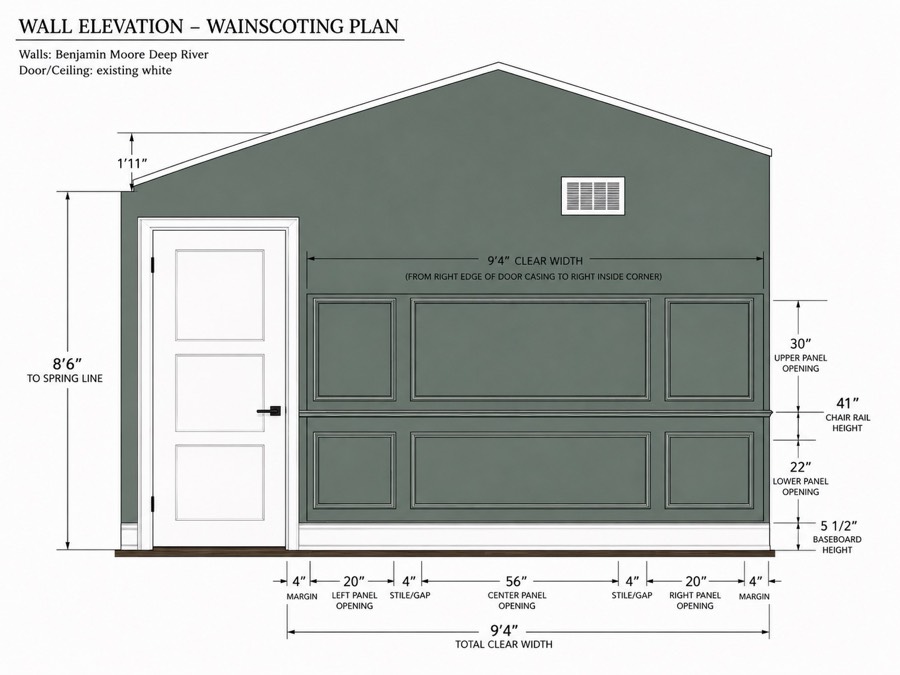
Wall elevation. Every measurement, chair rail height, and the exact paint colour.
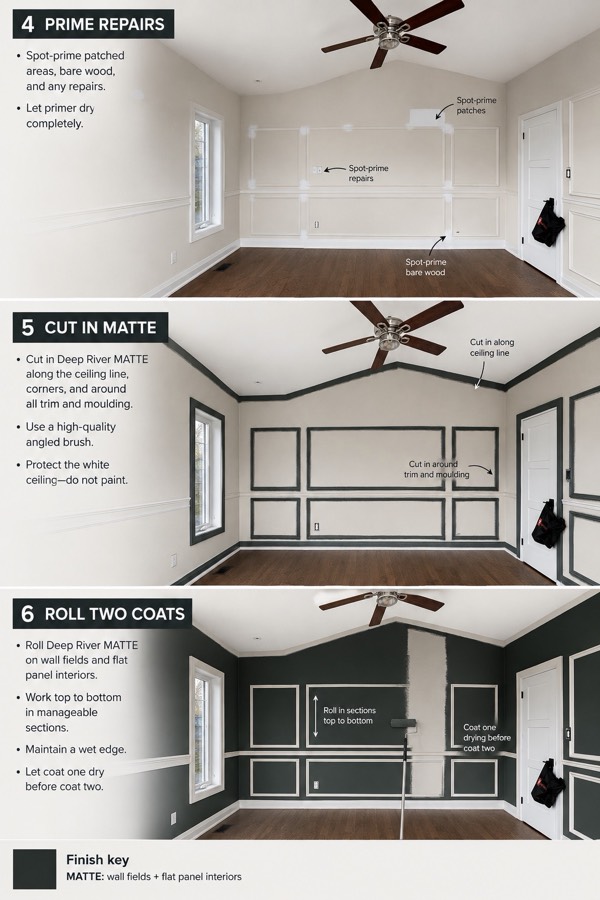
The painting order, one step at a time, with the photos annotated.
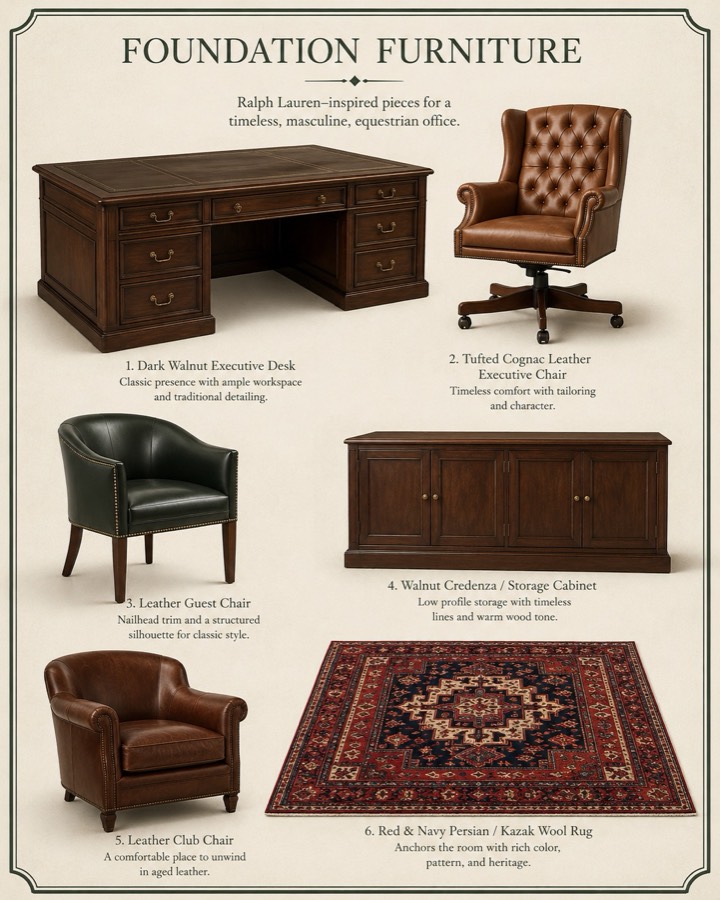
Foundation furniture.
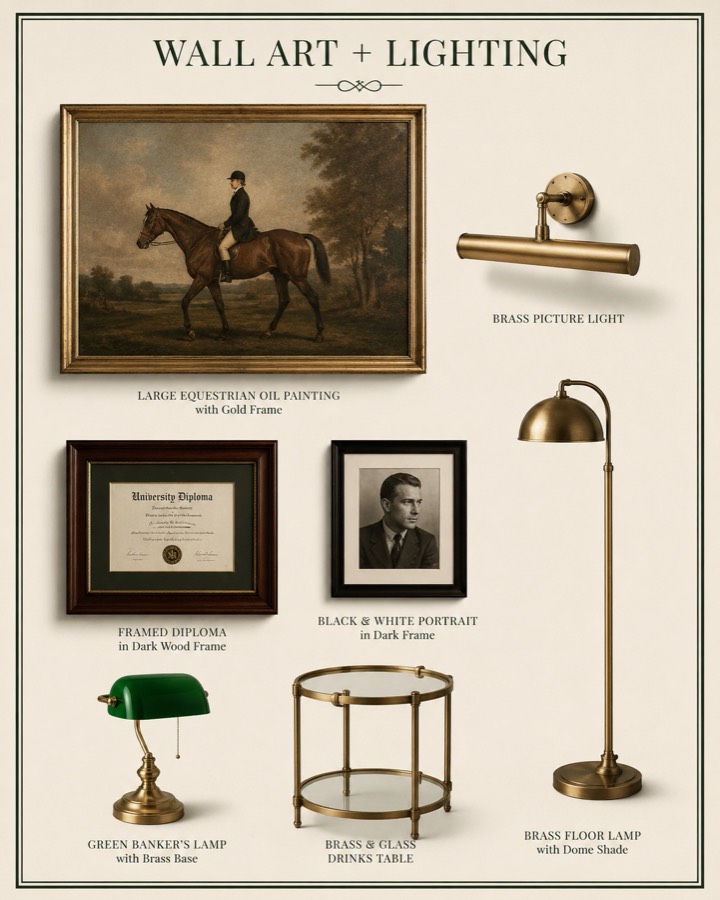
Wall art and lighting.
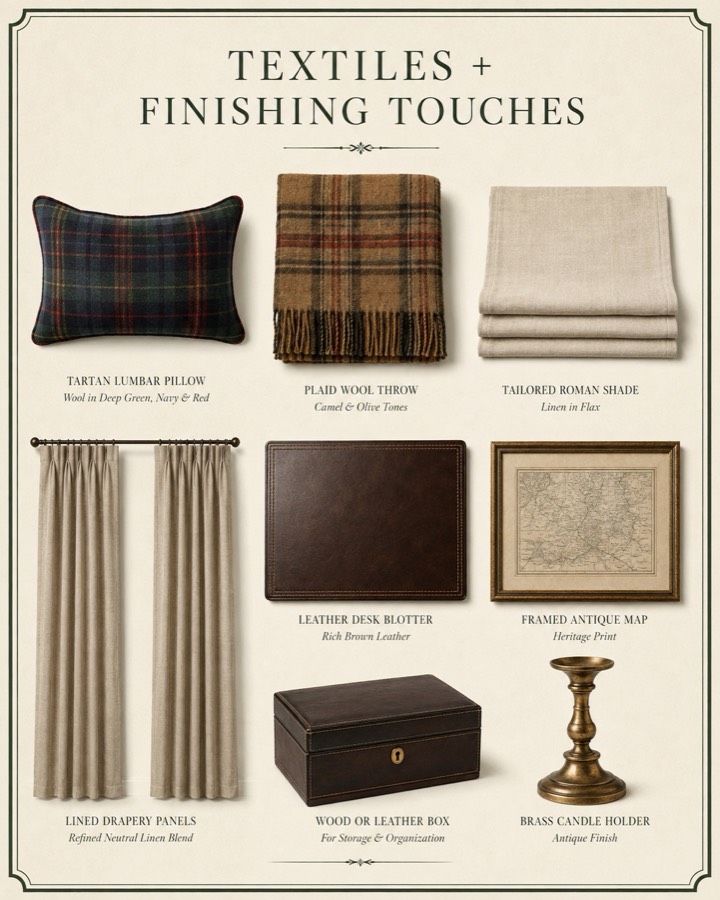
Textiles and finishing touches.

Right down to the objects sitting on the desk.
AFTER
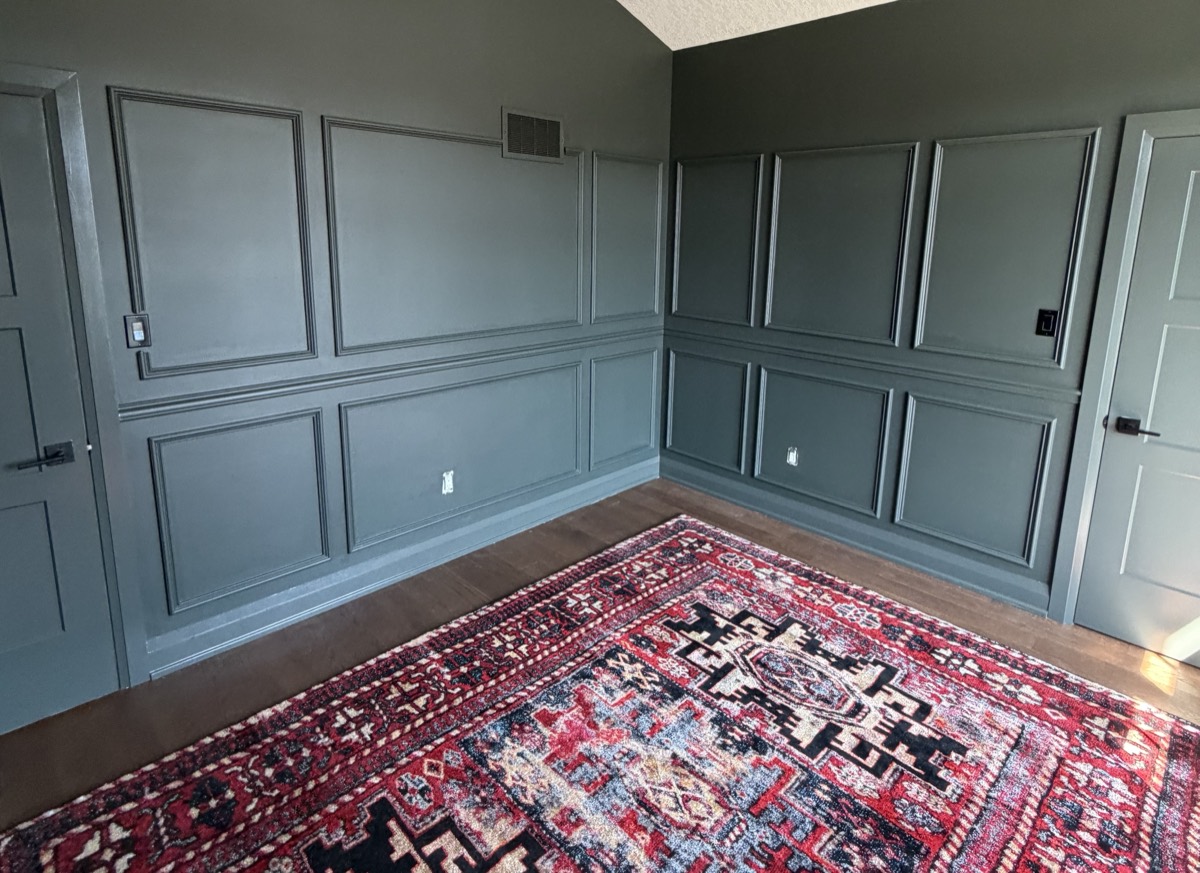
Now it's time for the decor.
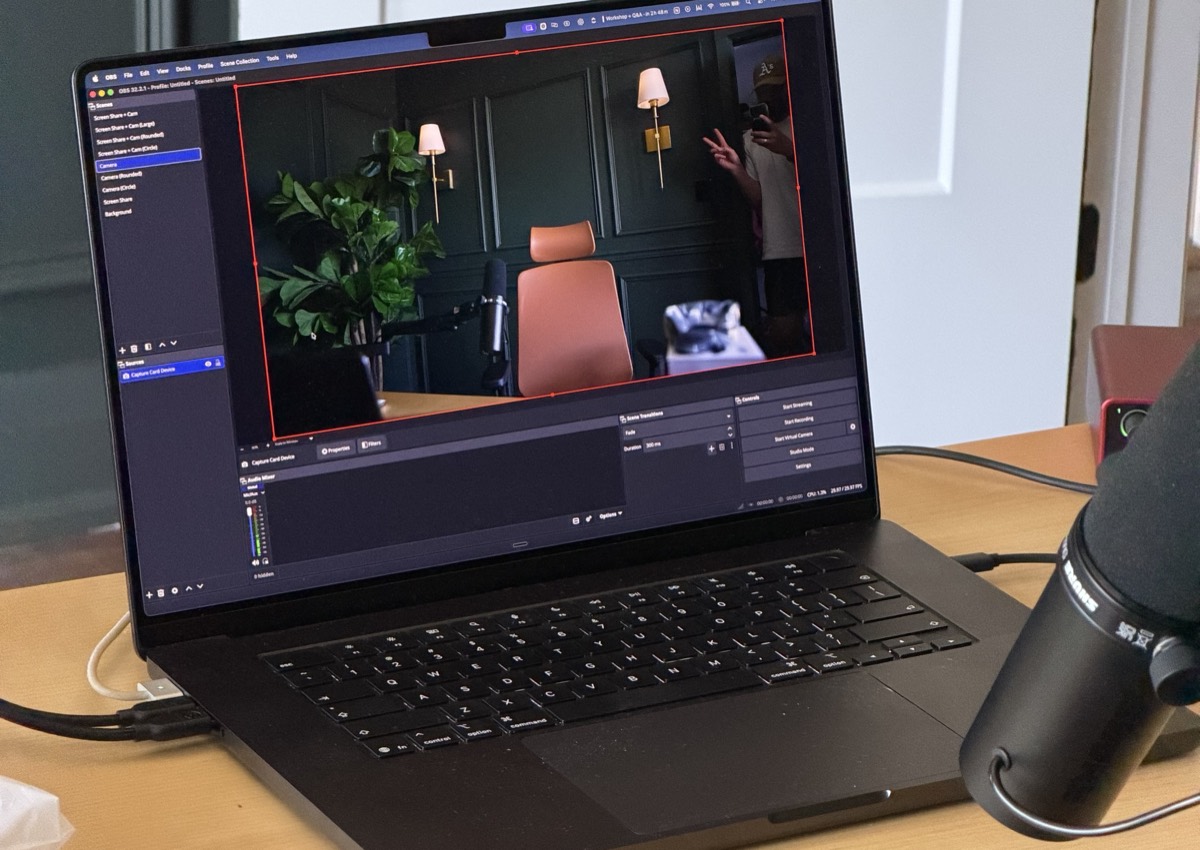
The framing it specced, running in OBS.
THE GEAR
Home Studio Builder
Free, no signup
Picking the gear was the part I was dreading, so I built a thing to do it for me. Nine categories: camera, lens, mic, audio interface, key light, fill and accent lighting, teleprompter, mounting, and the boring pile of power and cables nobody warns you about.
Twenty seven options across the nine, and every category gives you three choices. Cheap out, sweet spot, or splurge. You pick your way down the page, the running total updates as you go, and each item links out so you can actually buy it. Core gear is marked separately from the optional stuff, so you can see what you genuinely need versus what's a nice to have.
I built it on ChatGPT Sites. You describe what you want, it builds the page and hosts it. My full build came out at $4,241 CAD.
Verdict: treat it as a starting point, not a shopping list. Cheap out on every line and you'd still be fine.
Try it →
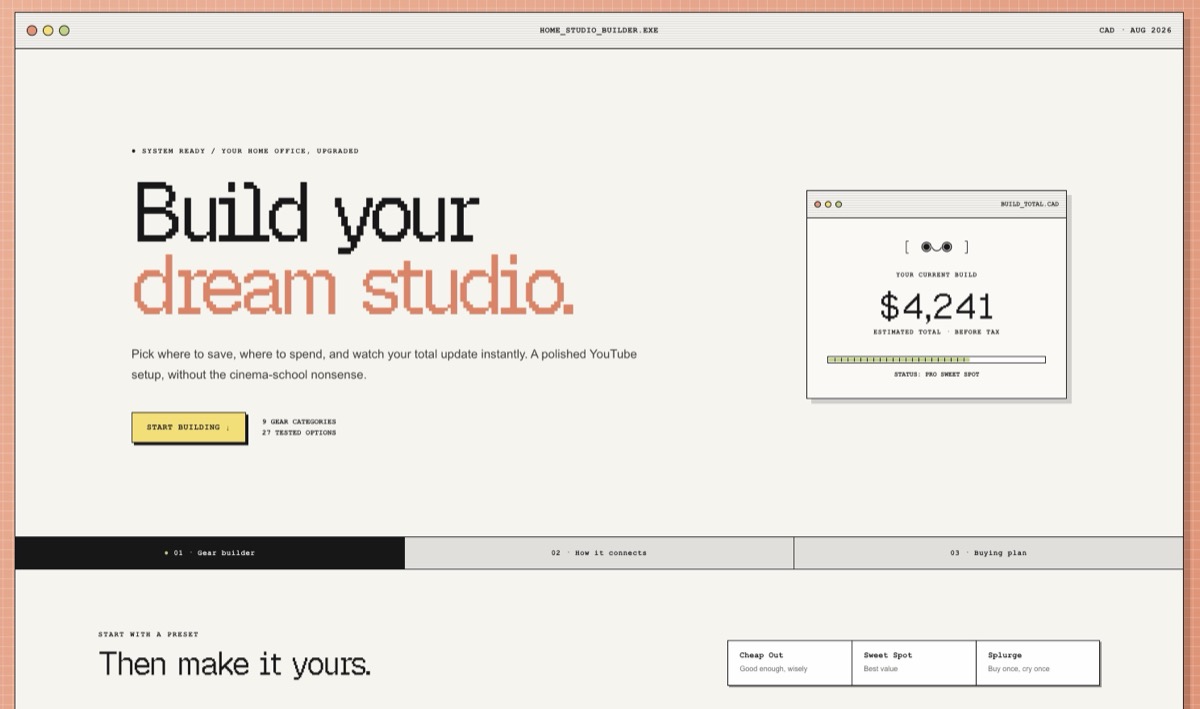
home-studio-builder.justyn-ai.chatgpt.site
THE PART I DIDN'T EXPECT
Then I gave it control of my computer
I stopped trying to describe my settings to it and just let it look.
Once the room was built and the gear was in, I hit the wall everybody hits. The camera is on, the lights are on, and it still doesn't look right. Normally that's the point where you start googling picture profiles and colour temperature and lose an evening to it.
So I gave ChatGPT control of my computer and let it look for itself.
It went through the settings screen by screen. The camera, the capture software, the light controls, the teleprompter, the mic input levels. It could see the actual values instead of me squinting at a menu and trying to describe what looked off. Then it changed them, told me what it changed, and told me why.
That last part matters more than the settings do. I'm not sitting here with a configuration I'm afraid to touch. I know what each one does now, so when something looks wrong next week I can fix it myself instead of starting over.
This is the part people are sleeping on. Everyone is using AI to write things. Almost nobody is letting it drive the machine and do the fiddly setup work that has nothing to do with writing.
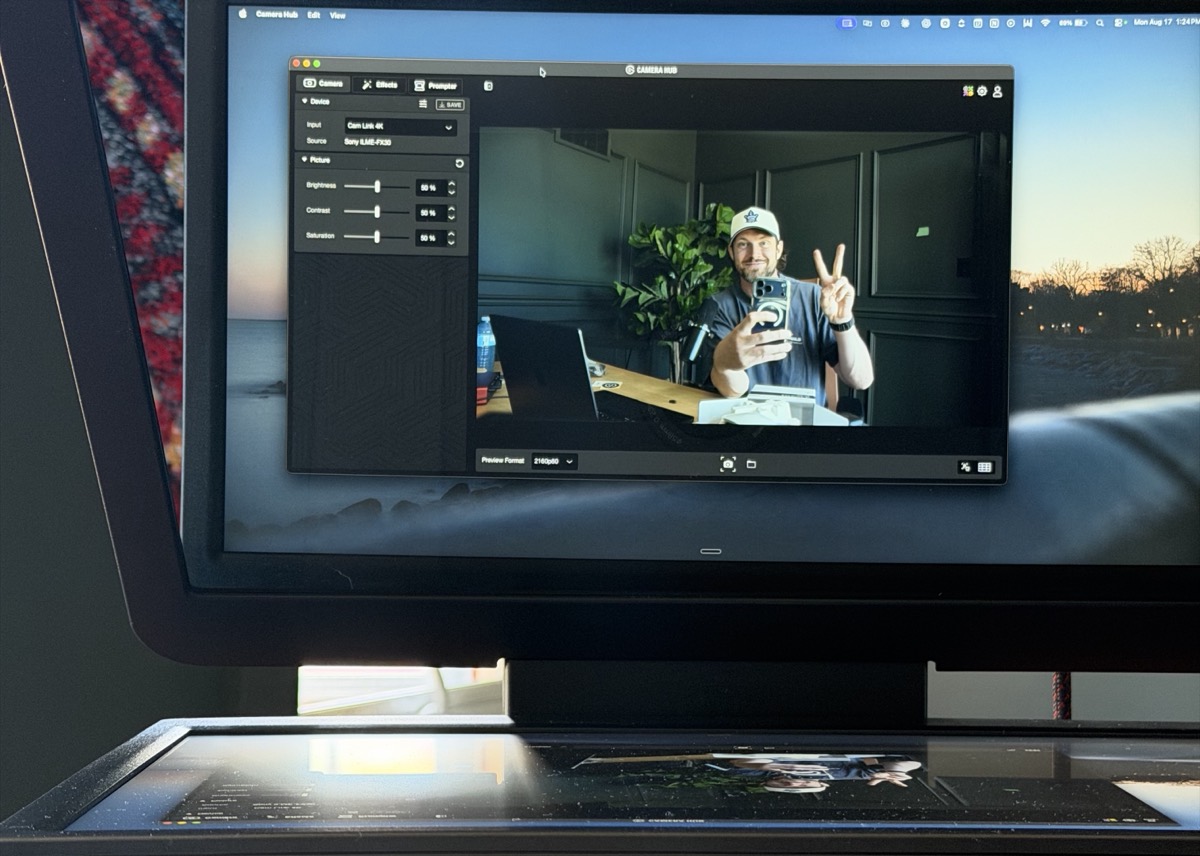
ChatGPT could see everything on my screen, every setting and every configuration, and made all the adjustments itself.
Hot Take
You do not need the studio.
I want to be clear about this, because I know how this issue reads. I just spent weeks and real money building a room, and the last thing I want is for you to file that under reasons you can't start yet.
None of this is why anything worked. I went from 97 followers to 100K on a phone, in a spare room, with whatever light came through the window. The gear didn't do that. Showing up every single day did.
The camera and the lights aren't the setup. They're the reward for work that already happened.
If you're waiting on equipment, you're not waiting on equipment. You're waiting.
PROMPT OF THE WEEK
Turn a photo of your room into a build plan
Works for an office, a studio corner, a spare bedroom, a garage. Take one wide photo of the room as it stands right now, attach it, paste this. Answer its questions honestly, especially the budget one, or it'll spec you a room you're not buying.
You are helping me turn this room into a [home studio for filming short-form and long-form video].
Attached is a photo of the room exactly as it is right now.
Start by reading the photo back to me. Tell me what you can see: approximate dimensions, ceiling height, where the windows are and which way they face, the existing paint colours, flooring, outlets, and anything in the room that limits what I can do.
See the full promptShow less
You are helping me turn this room into a [home studio for filming short-form and long-form video].
Attached is a photo of the room exactly as it is right now.
Start by reading the photo back to me. Tell me what you can see: approximate dimensions, ceiling height, where the windows are and which way they face, the existing paint colours, flooring, outlets, and anything in the room that limits what I can do.
Then ask me every question you need answered before you plan anything. Budget, how I'll use the room, what I already own, what I'm allowed to change, my skill level with tools. Ask them all at once and wait. Do not start planning until I've answered.
Once I answer, give me this, in this order:
1. Two or three concept directions for the room, described clearly enough that I can picture each one, with the tradeoff of each.
2. Once I pick one: a full layout with exact placements and measurements, plus a paint palette pulled from the colours already in the photo so it matches the rest of the house.
3. A build order. What gets done first, second, third, and what has to dry or cure before the next step starts.
4. A shopping list split three ways: what I have to buy, what makes it better, and what is a waste of money for what I'm doing. Rough prices, and say plainly when the cheap option is fine.
5. Setup instructions for the equipment once the room is built. Exact camera position and height, light positions with distances and heights, teleprompter placement for a natural eyeline, and mic placement. Tell me why each position, so I can adjust when something looks off.
Rules:
- Assume I have no design experience and I am doing the work myself.
- Give me specifics, not options to go research. Real measurements, real products, a real order of operations.
- If something in the photo is going to cause me a problem later, tell me now.
COPY · PASTE · REPLACE THE BRACKETS
道
Come build in the Dojo
This is the room. The Dojo is what happens inside it. Walkthroughs, the systems I'm actually running, and a group of solo founders shipping instead of researching.
First 7 days are free. Have a look.
Join the Dojo
FIRST 7 DAYS FREE
Justyn AI 2.0.
I told you you'd see it soon. This is it.
Longer form, more on camera, the stuff I've had planned for months and nowhere to make. It's all going up on YouTube, so if you only follow me on Instagram or TikTok, come find me over there too.
Keep pushing forward,
Justyn
Justyn
 by Justyn. Shipped with
  by AI.